- sales/support
Google Chat:---
- sales
+86-0755-88291180
- sales01
sales@spotpear.com
- sales02
dragon_manager@163.com
- support
tech-support@spotpear.com
- CEO-Complaints
zhoujie@spotpear.com
- Only Tech-Support
WhatsApp:13246739196
- Purchase/Shipping/Refund
WhatsApp:13424403025
GPIO Audio Module-Raspbian-Audio configuration tutorial
If your Module is GPIO18
Download audremap18.dtbo to your pi
sudo cp audremap18.dtbo /boot/overlays/
sudo nano /boot/config.txt
Add this code
dtoverlay=audremap18,pins_18_19
If your Module is GPIO19
Download audremap19.dtbo to your pi
sudo cp audremap19.dtbo /boot/overlays/
sudo nano /boot/config.txt
Add this code
dtoverlay=audremap19,pins_18_19
If your Module is GPIO18&GPIO19
sudo nano /boot/config.txt
Add this code
dtoverlay=audremap,pins_18_19
Then you need reboot
sudo reboot
After rebooting , You need enable local audio
sudo raspi-config Select System Options -> Audio -> 'headphone'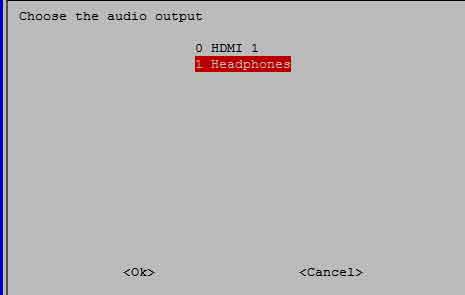
Then reboot again use sudo reboot
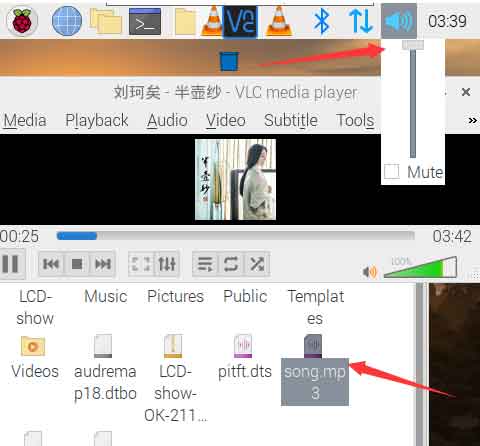
Set audio voice max and play any music then you will hear sound