- sales/support
Google Chat:---
- sales
+86-0755-88291180
- sales01
sales@spotpear.com
- sales02
dragon_manager@163.com
- support
tech-support@spotpear.com
- CEO-Complaints
zhoujie@spotpear.com
- Only Tech-Support
WhatsApp:13246739196
- Purchase/Shipping/Refund
WhatsApp:13424403025
Raspberry Pi 43H-800480-IPS-CT User Guide
Overview
43H-800480 series display, produced by the Waveshare team, is designed for users who need a lightweight DSI display. Compared with the traditional DSI screen, it is lighter and more convenient for secondary development.
Features
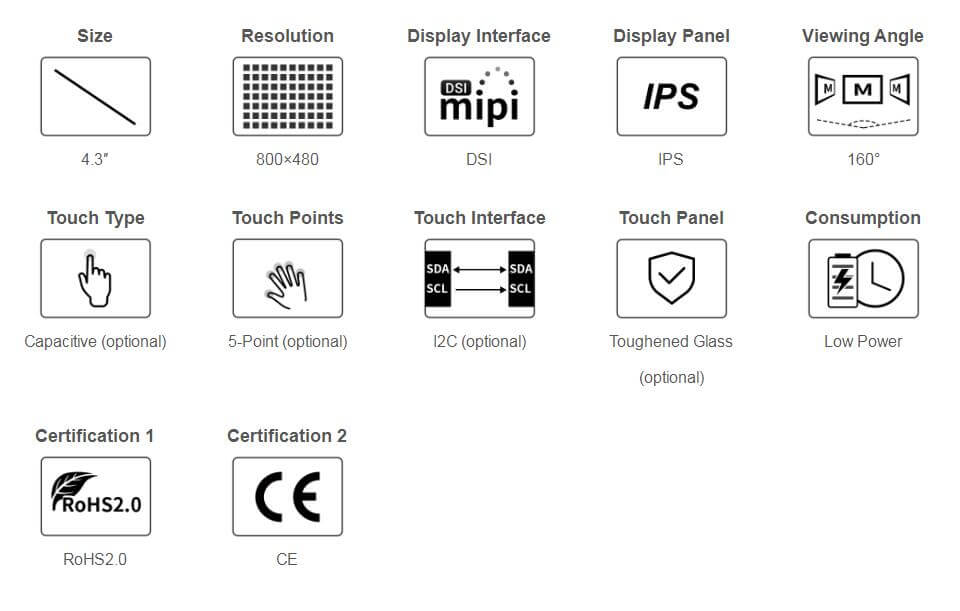
- 4.3inch IPS Display, 800 × 480 hardware resolution.
- 5-point capacitive touch, toughed glass panel, hardness up to 6H (this function is only for the touch version).
- Support Pi4B/3B+/3A+/3B/2B/B+/A+, some CM3/3+/4 expansion board need a DSI-Cable-15cm.
- Directly drive the LCD via the DSI port of the Raspberry Pi, and the refreshing rate is up to 60Hz.
- When working with Raspberry Pi, it supports Raspberry Pi OS/Ubuntu/Kali and Retropie, and is driver-free.
- Support software backlight adjustment, saving more power.
Parameters
| Item | Description | Unit |
|---|---|---|
| Model | 43H-800480 Series | |
| Size | 4.3 | Inch |
| Viewing Angle | 160 | Deg |
| Resolution | 800 (RGB) × 480 | Pixels |
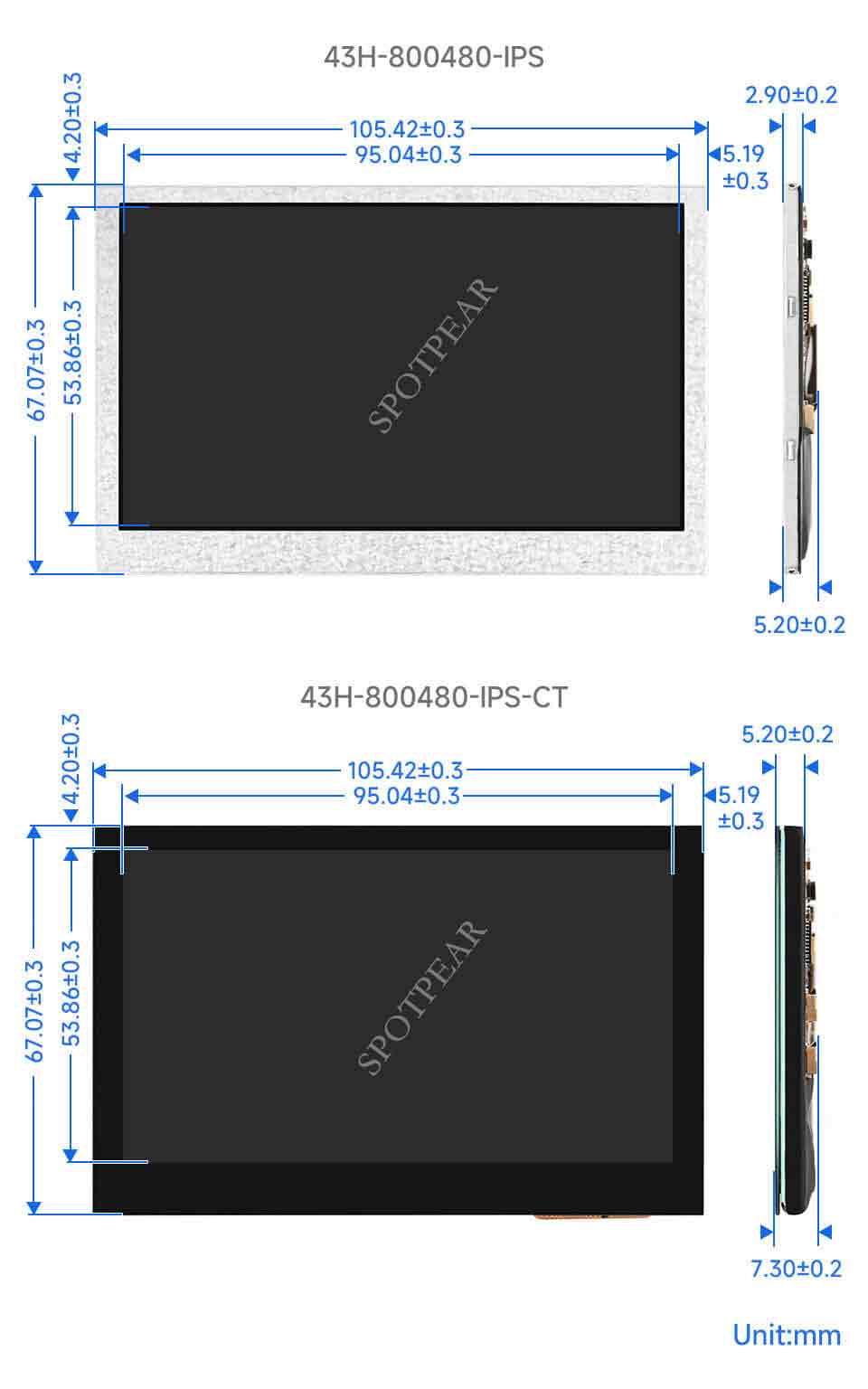
| Touch Screen Dimensions | 105.42 (H) × 67.07 (V) × 5.20 (D) | mm |
| Display Dimensions | 105.42 (H) × 67.07 (V) × 2.90 (D) | mm |
| Display Area | 95.04 (W) × 53.86 (H) | mm |
| IPS Color Gamut | 50%NTSC | |
| Brightness | 260 | cd/m² |
| Backlight Adjustment | Software | |
| Contrast | 1200:1 | |
| Color Depth | 16.7M | |
| Refresh Rate | 60 | Hz |
| Driver Port | DSI Port |
Interface Definition
| PIN | Label |
|---|---|
| 1 | GND |
| 2 | DSI1_DN1 |
| 3 | DSI1_DP1 |
| 4 | GND |
| 5 | DSI1_CN |
| 6 | DSI1_CP |
| 7 | GND |
| 8 | DSI1_DN0 |
| 9 | DSI1_DP0 |
| 10 | GND |
| 11 | SCL0 |
| 12 | SDA0 |
| 13 | GND |
| 14 | 3V3 |
| 15 | 3V3 |
Working With Raspberry Pi
Hardware Connection
With an FFC cable, you can connect 43H-800480 to the DSI port of the Raspberry Pi. As shown below: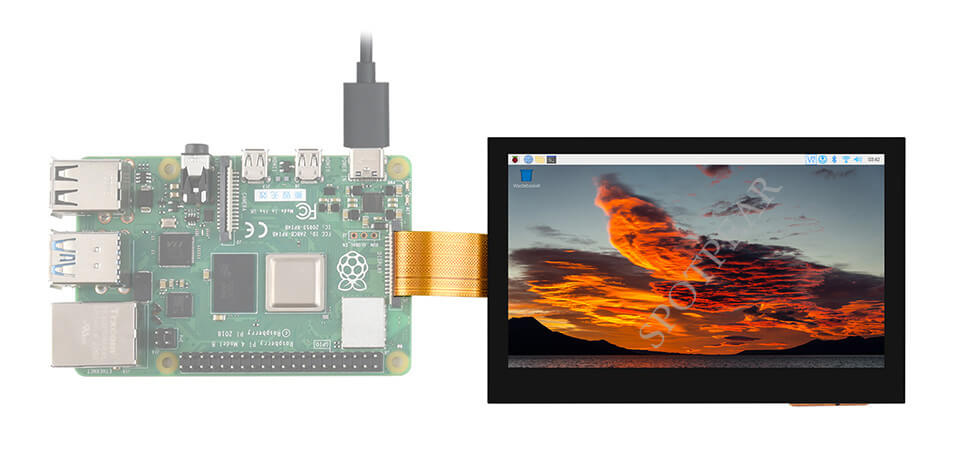
Software Setting
For the Raspberry Pi OS/Ubuntu/Kali and Retropie system:
- 1. Please download the newest image from the Raspberry Pi official website. Download the compressed file to the PC, and unzip it to get the ".img" file.
- 2. Connect the TF card to the PC, and format the TF card with the SDFormatter.
- 3. Open Win32DiskImager software, choose the system image prepared in the first step, and click write to write the system image.
- 4. After writing, open the config.txt file in the TF card root directory. Add the following code at the end of config.txt, save it, and then safely remove the TF card.
dtoverlay=vc4-kms-v3d
dtoverlay=vc4-kms-dsi-7inch- 5. Insert the TF card into the Raspberry Pi, boot the Raspberry Pi, and enter to display after waiting for a few seconds. It can be normally touched after booting the system.
Backlight Control
Input the following commands on the terminal to adjust the backlight brightness:
echo X > /sys/class/backlight/10-0045/brightness
X means any numbers in 0~255. 0 means the darkest, and 255 means the brightest. For example:
echo 100 > /sys/class/backlight/10-0045/brightness
echo 0 > /sys/class/backlight/10-0045/brightness
echo 255 > /sys/class/backlight/10-0045/brightness
In addition, Waveshare provides the corresponding application demo (this demo is only for Raspberry Pi OS), users can install it and use it in the following ways:
wget https://www.waveshare.com/w/upload/f/f4/Brightness.zip
unzip Brightness.zip
cd Brightness
sudo chmod +x install.sh
./install.sh
After installing, you can open this demo in the Menu -> Accessories -> Brightness. As shown below: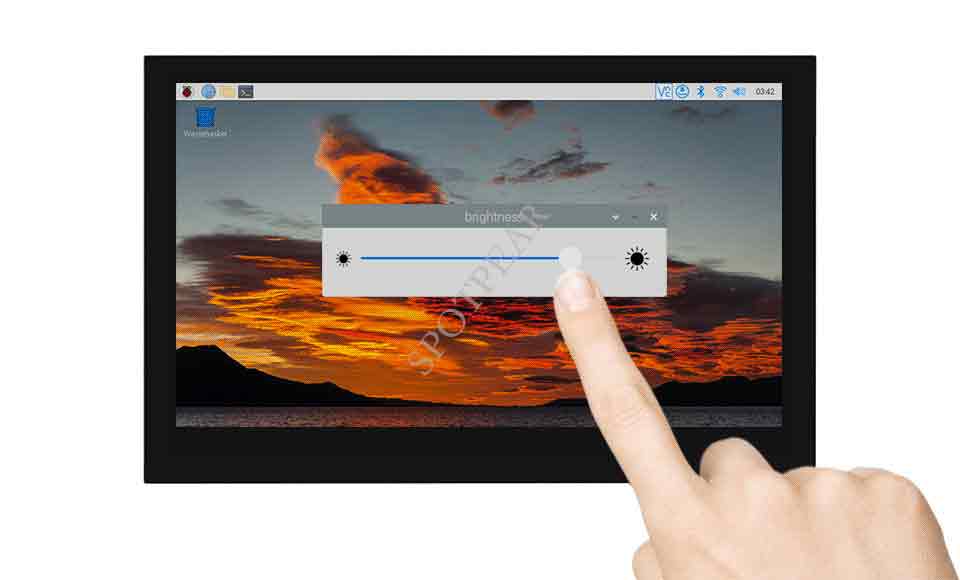
Screen Sleep Mode
Run the following commands on the Raspberry Pi and the screen can enter sleep mode:
xset dpms force off
Disable Touch
At the end of config.txt, you can enter the corresponding commands to disable the touch. (Config file is in the root directory of the TF card, and you can visit by the commands: sudo nano /boot/config.txt):
disable_touchscreen=1
Note: After adding the commands, it needs to reboot to take effect.
Dimensions