- sales/support
Google Chat:---
- sales
+86-0755-88291180
- sales01
sales@spotpear.com
- sales02
dragon_manager@163.com
- support
tech-support@spotpear.com
- CEO-Complaints
zhoujie@spotpear.com
- Only Tech-Support
WhatsApp:13246739196
- Purchase/Shipping/Refund
WhatsApp:13424403025
- HOME
- >
- ARTICLES
- >
- For Arduino
- >
- Mother Board
Arduino clone board through our tutorial
According to our use and development experience of Arduino, there is no obvious difference between the clone board and the official board in the process of use, but the retail price of the official board is currently 80~90 yuan in the market, and the price of the clone board is only half of the official board. less than. Therefore, domestic and foreign maker enthusiasts often choose clone boards with better cost performance when choosing Arduino development boards.
Different from the official board, the clone board needs to install the development board driver separately, please don't be nervous, the installation process is very simple, so simple that anyone who can use a computer can operate it. For details on how to operate, please see the following.
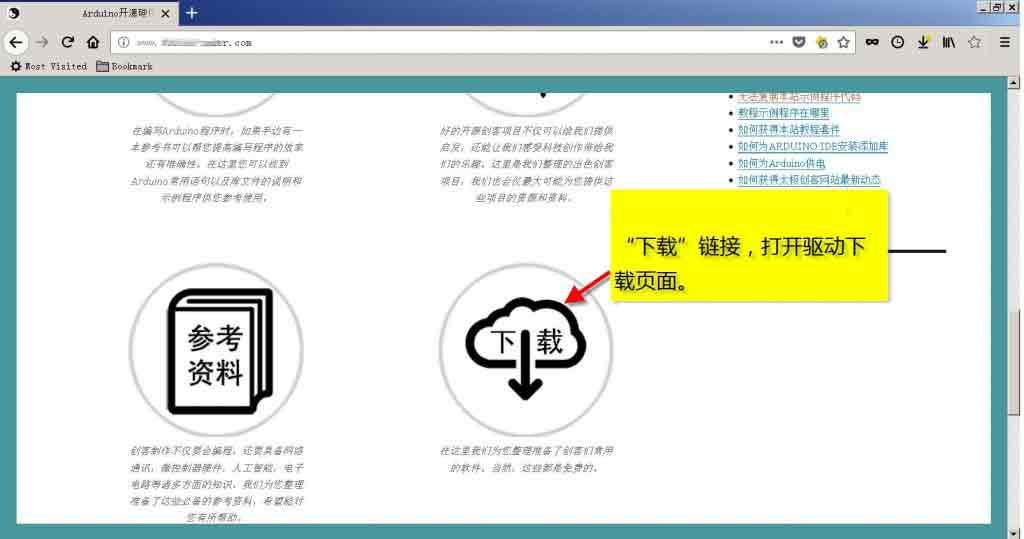
Step 1: Open the driver download page through the "Download" link of the website, or click here to open the page.
Step 2: Click on the "Arduino Clone Driver Download" link.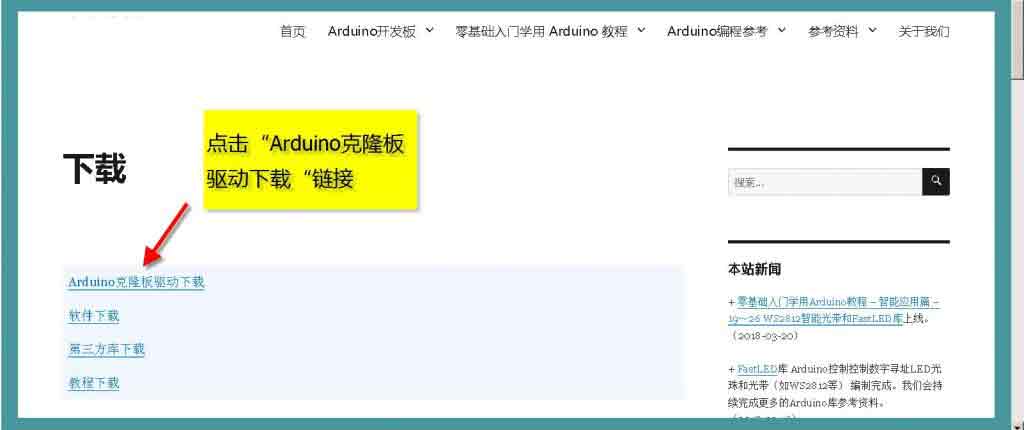
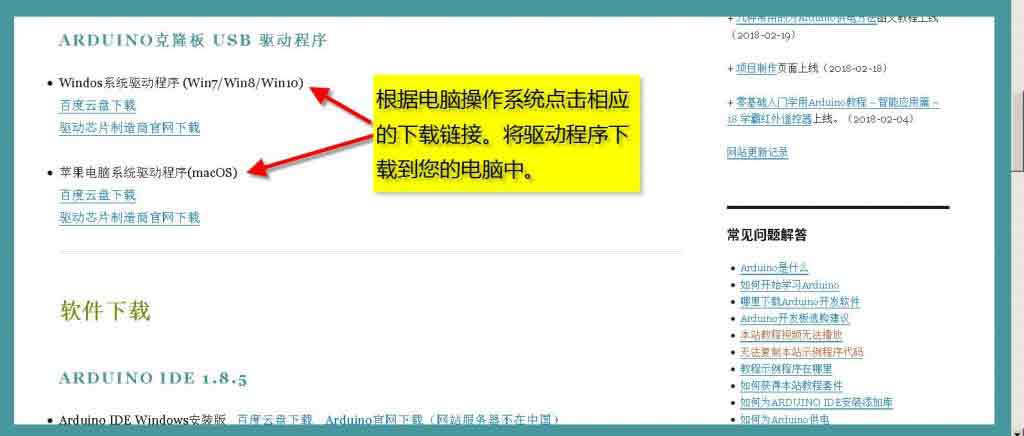
Step 3: Click the corresponding download link according to the computer operating system to download the Arduino clone board driver to your computer.
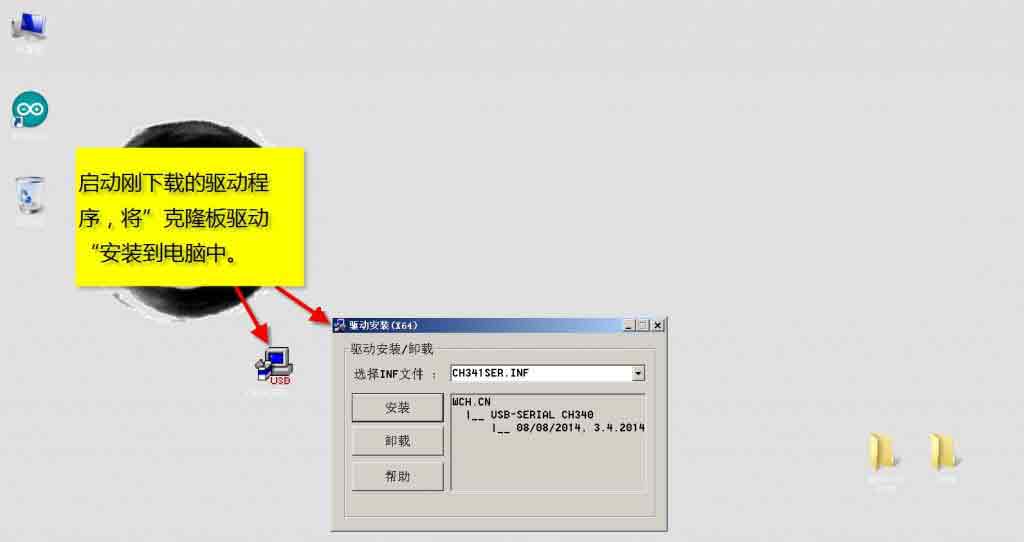
Step 4: Start the driver program just downloaded, and install the driver of the clone board into the computer.
Step 5: Connect the Arduino development board to the computer USB port through the USB cable.
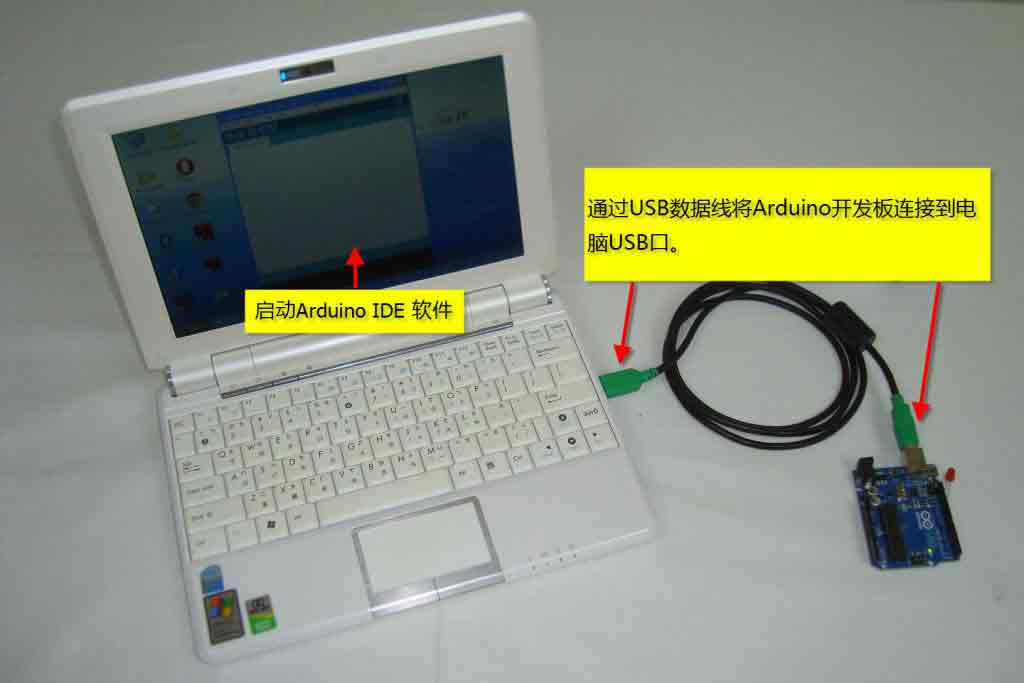
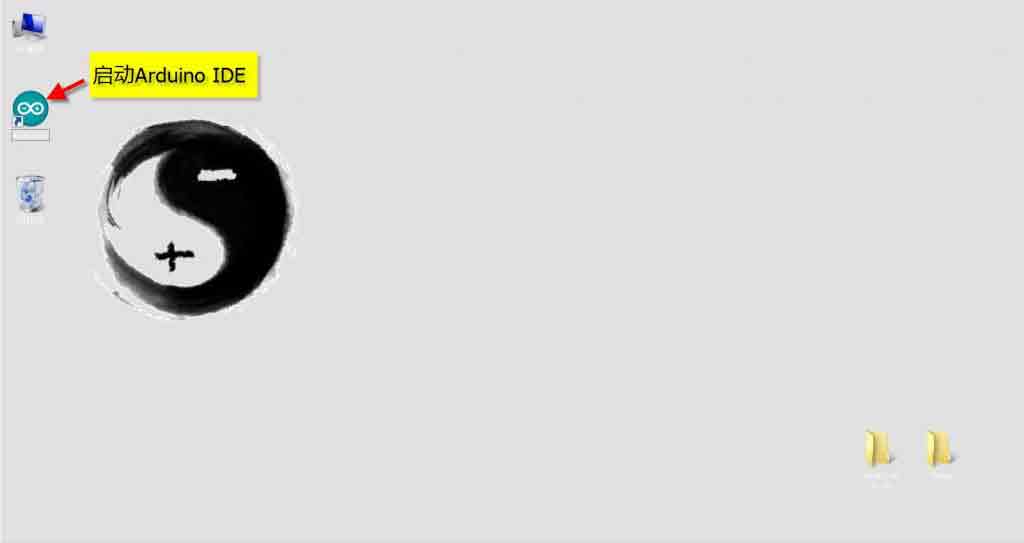
Step 6: Start the Arduino IDE.
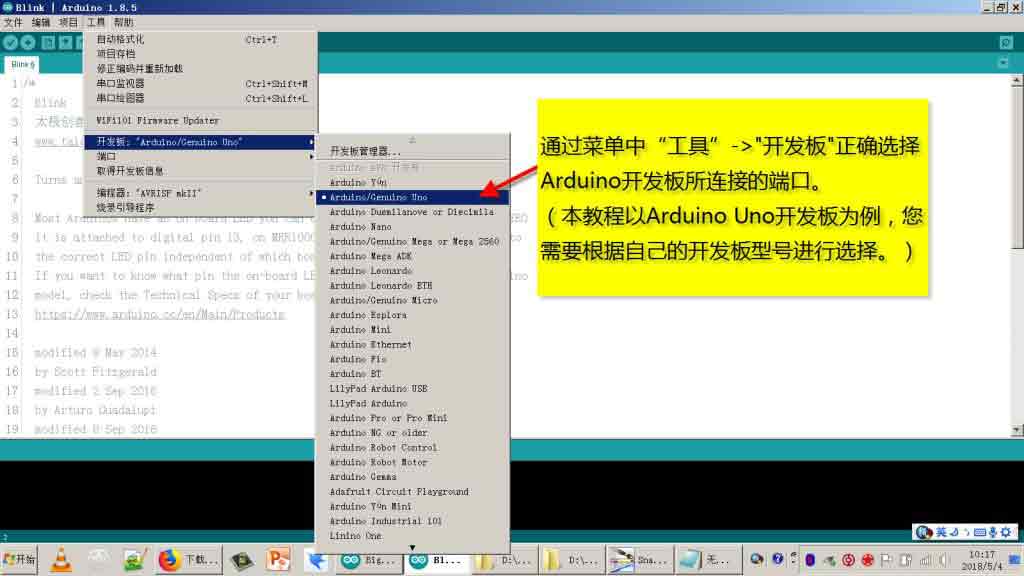
Step 7: Select the correct port connected to the Arduino development board through "Tools" -> "Development Board" in the menu.
(This tutorial takes the Arduino Uno development board as an example, you need to choose according to your own development board model.)
Step 8: Select the correct port connected to the Arduino development board through "Tools" -> "Port" in the menu.
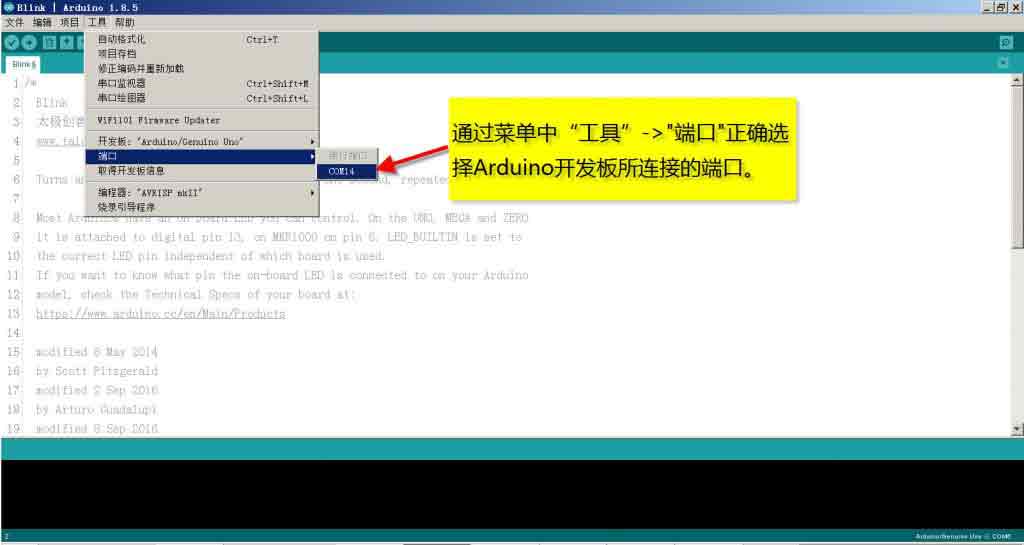
Step 9: Done!
Creative Commons (CC) License:
In order to maintain an open concept, the official Arduino team decided to adopt a Creative Commons (CC) license. Under the CC license, anyone is allowed to produce and sell replicas of the Arduino development board without paying royalties to the Arduino official, or even obtaining an official Arduino license, just stating the contribution of the Arduino team and retaining the Arduino name. Therefore, there are two kinds of development boards on the Internet, one is the official board produced by Arduino, and the other is the clone board made and sold by other manufacturers using the design of the Arduino team.