- sales/support
Google Chat:---
- sales
+86-0755-88291180
- sales01
sales@spotpear.com
- sales02
dragon_manager@163.com
- support
tech-support@spotpear.com
- CEO-Complaints
zhoujie@spotpear.com
- Only Tech-Support
WhatsApp:13246739196
- Purchase/Shipping/Refund
WhatsApp:13424403025
- HOME
- >
- ARTICLES
- >
- Common Moudle
- >
- LCD
PhotoPainter-2.13 Guide
【App】
BlueSign Assistant (Android App version 1.2.8) Download URL: http://www.bluetag.cn/lanqianzhushou_1.2.8.apk
Support Apple, Apple search "蓝签"
【Video Guide】
【App Guide】
】Open the BlueSign APP and create a template. 】Select the required size
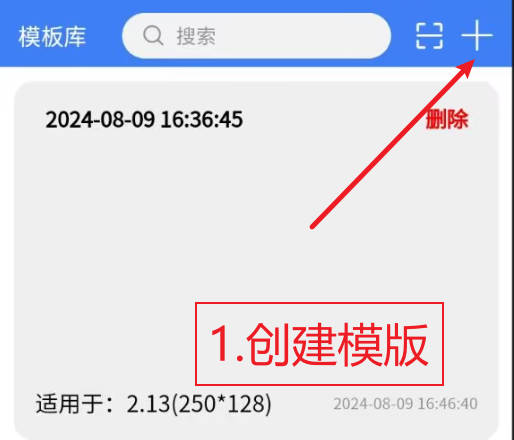
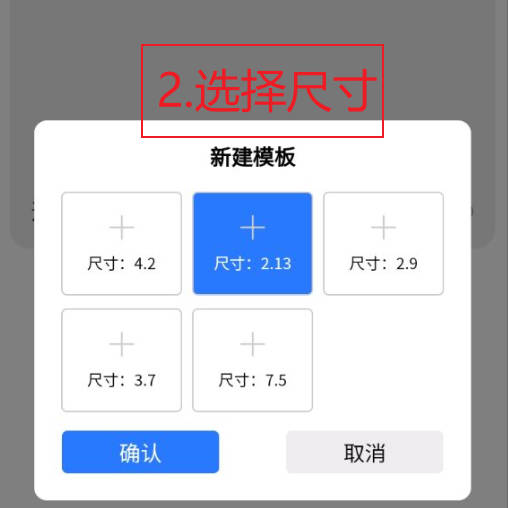
Translation of Text in Images:1、Create Template 2、Choose size
】Double-click the newly created blank template to enter the editing page.
】Edit various function keys on the homepage
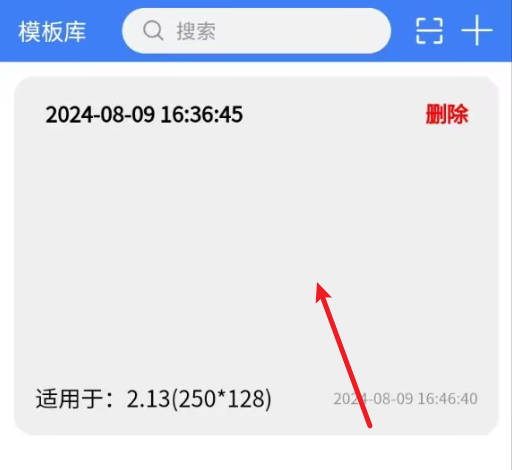
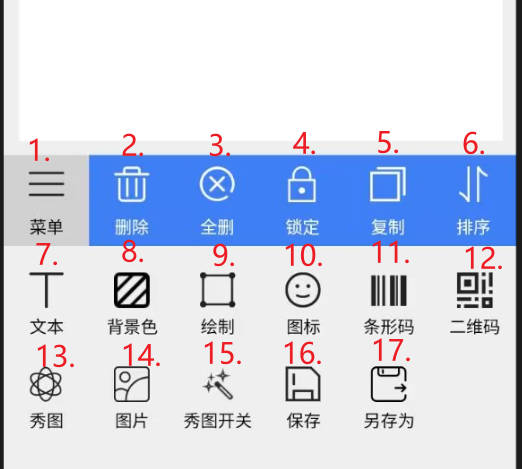
Explain:1. Menu 2. Delete 3. Delete All 4. Lock 5. Copy 6. Sort 7. Text
8. Background Color 9. Draw 10. Icon 11. Barcode 12. QR Code 13. Show Image
14. Image 15. Show Image Switch 16. Save 17. Save As
】Text editing page 】Background color switch
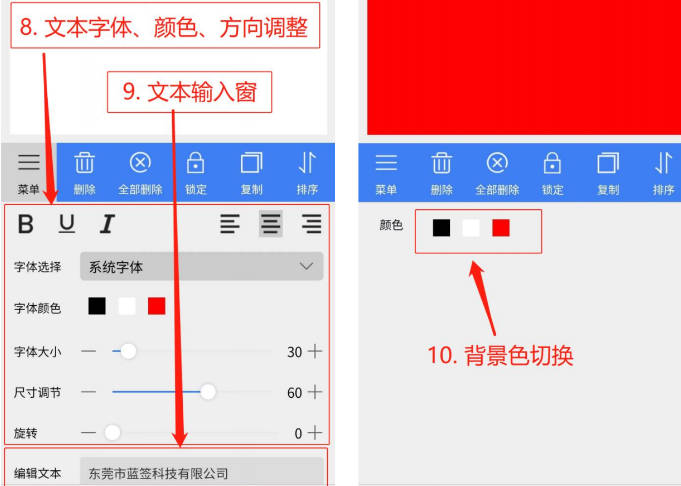
Translation of Text in Images:8、Text font, color, and orientation adjustment
9、Question input box 10、Background color switching
】Drawing page 】Icon page
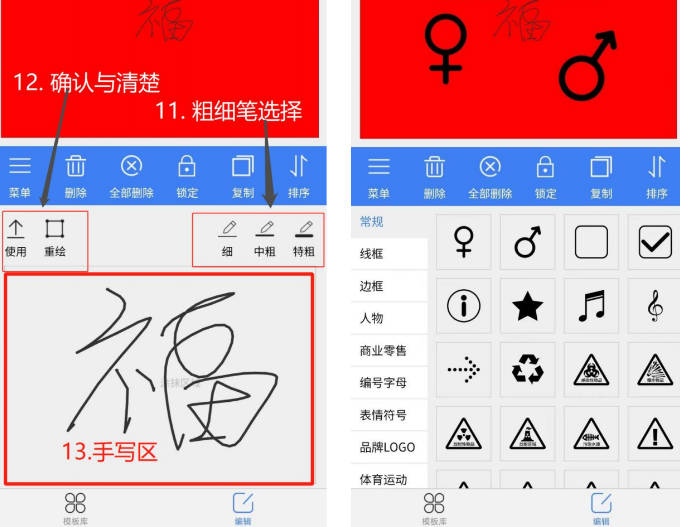
Translation of Text in Images:11、Selection of thick and thin pens
12、Confirm clearly 13、Writing area
】Icon size and angle adjustment 】Add barcode
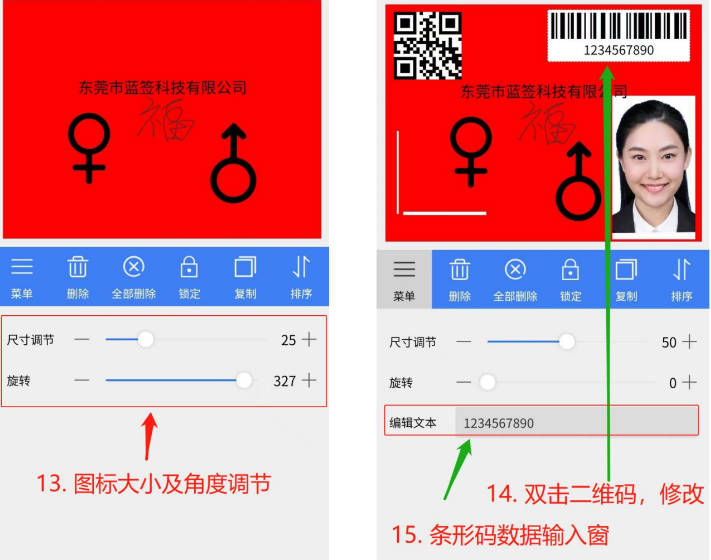
Translation of Text in Images:13、Icon size and angle adjustment
14、Double click the QR code to modify it 15、Barcode data input window
】Add QR code and photo 】Save the template after editing
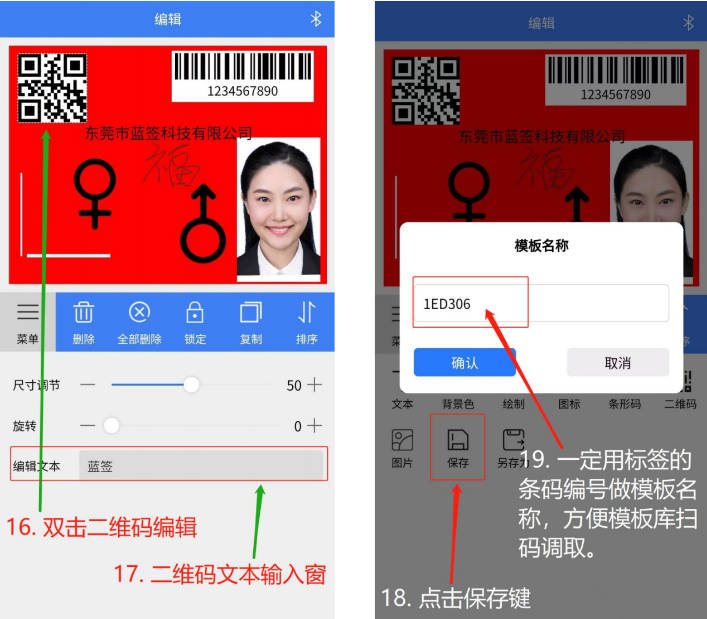
Translation of Text in Images:16、Double click the QR code to edit
17、QR code text input box 18、Click to save
19、Be sure to use the barcode number of the label as the template name for easy retrieval from the template library by scanning the code
】Scan the code in the template library to automatically search, find, and retrieve the saved template
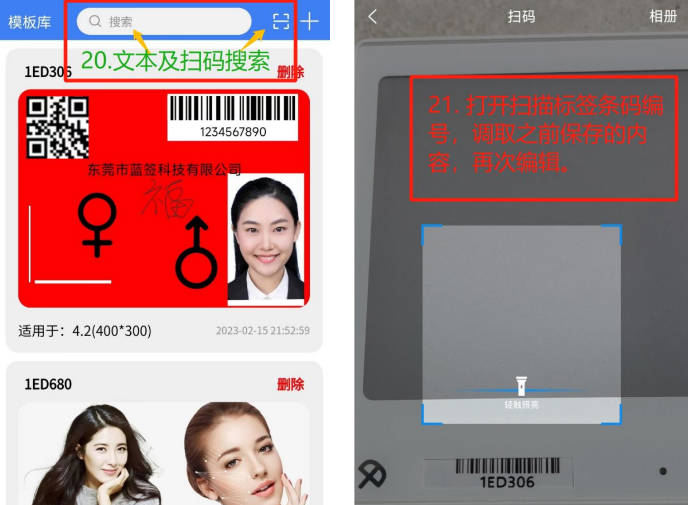
Translation of Text in Images:20、Text and QR code search
21、Open the scanning label barcode number, retrieve the previously saved content, and edit again
】Send content to update the label
】Swipe the label name to the left to update the data and modify the label name
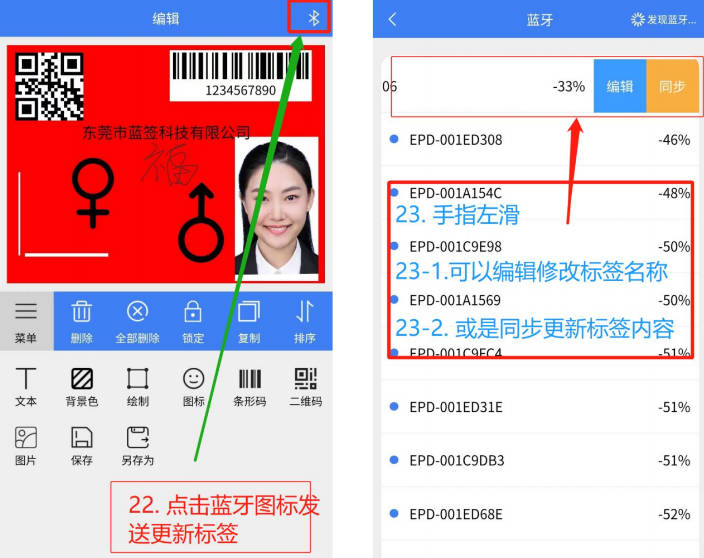
Translation of Text in Images:22、Click on the Bluetooth icon to send updated tags
23、Swipe your finger left。 23-1、Can edit and modify tag names
23-2、Or synchronously update the tag content
】Scan the label barcode to automatically send data to update the label
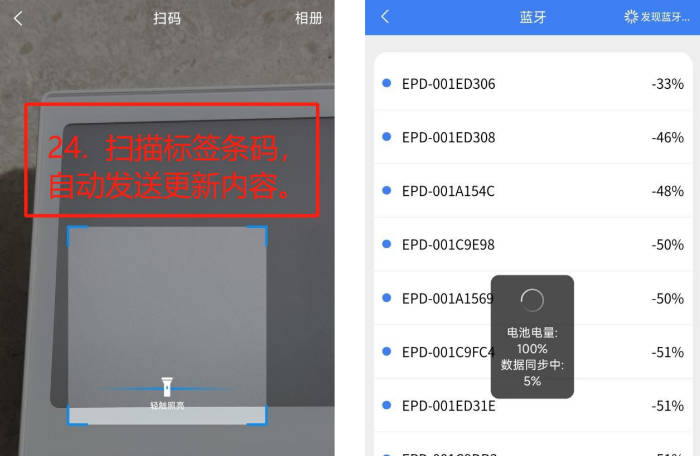
Translation of Text in Images:Scan the label barcode and automatically send updated content
】Updated label effect
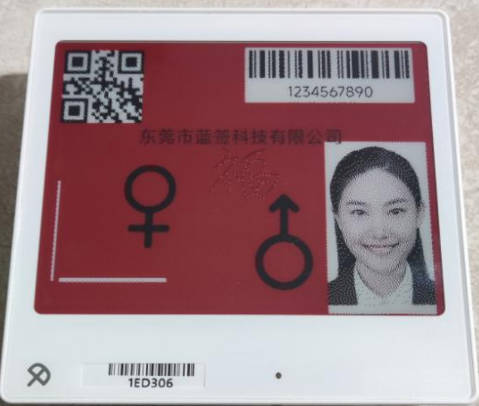
【Product Introduction】
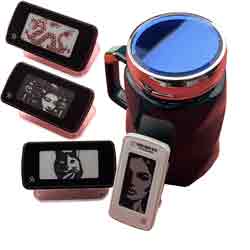
Want to make your daily life smarter and more fun? Check out this 2.13-inch Electronic Ink Display Trinket. It's versatile for use as an electronic label, digital photo album, workstation nameplate, and more. Feeling down? Change it up anytime. Easily import images via Bluetooth from your smartphone for immediate display, or showcase various motivational quotes. Powered by two 2450 button batteries for up to 8 months of extended standby, it even retains the display without power.
【Unlimited Creativity】
This is more than just a product; it's a partner in creativity and efficiency. Whether at home, in the office, or in a retail setting, it brings a whole new level of smart experience. Ready to explore more possibilities? Experience a smart, efficient, and fun lifestyle with us!
【Feature Highlights】
[] Smart Connectivity, Easy Control: Featuring advanced Bluetooth 5.0 technology, it connects directly to your smartphone without extra stations (currently not compatible with iPhone). Updating your information is now just a few taps away.
[] Customized Experience: Edit and update tag contents anytime through our app. Be it price tags, meeting room signs, or personalized reminders, everything is under your control.
[] Long Battery Life: Equipped with two 2450 button batteries for up to 8 months of extraordinary standby. Battery replacement is simple, ensuring consistent, stable use.
【Multiple Scenario Applications】
[] Retail Electronic Shelf Labels: Update product information in real-time for a smoother shopping experience for customers.
[] Workstation Nameplates: More efficient internal office management, clear at a glance.
[] Digital/Changeable Photo Albums: Capture beautiful moments, switch display photos anytime.
[] Desktop Trinkets: Decorate your workspace, adding a touch of personal charm.