- sales/support
Google Chat:---
- sales
+86-0755-88291180
- sales01
sales@spotpear.com
- sales02
dragon_manager@163.com
- support
tech-support@spotpear.com
- CEO-Complaints
zhoujie@spotpear.com
- Only Tech-Support
WhatsApp:13246739196
- Purchase/Shipping/Refund
WhatsApp:13424403025
- HOME
- >
- ARTICLES
- >
- LuckFox
- >
- LuckFox Pico
Luckfox Pico RV1103【Use the ADB to log in to the system】
1] Unzip the ADB toolkit and configure the system environment variables:
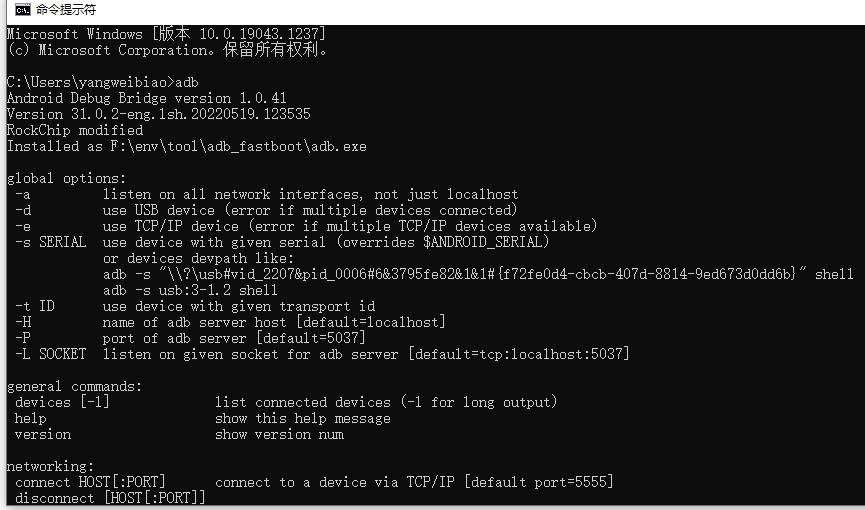
Download adb-fastboot.zip and unzip it to use; It is recommended to add the decompressed directory to the environment variables for easy access to CMD.
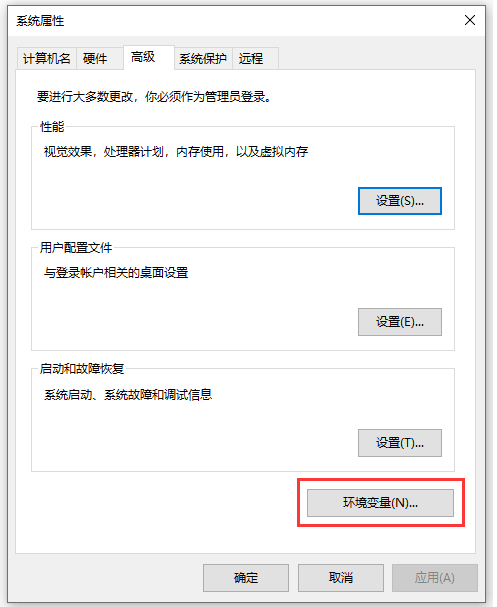
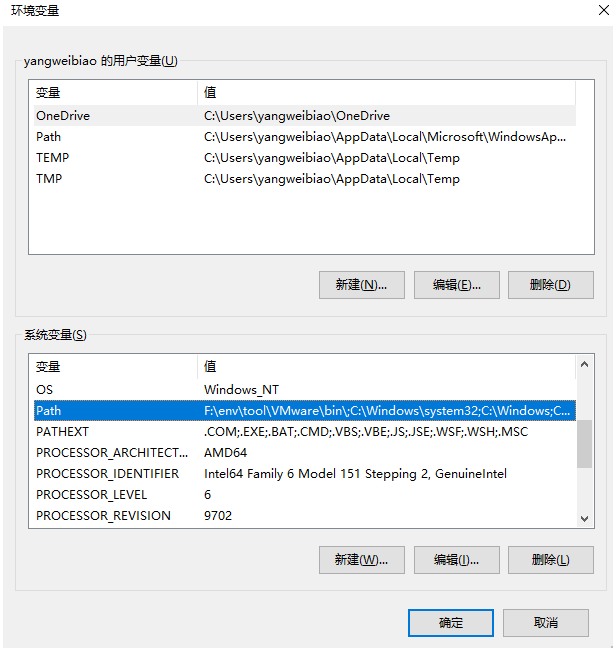
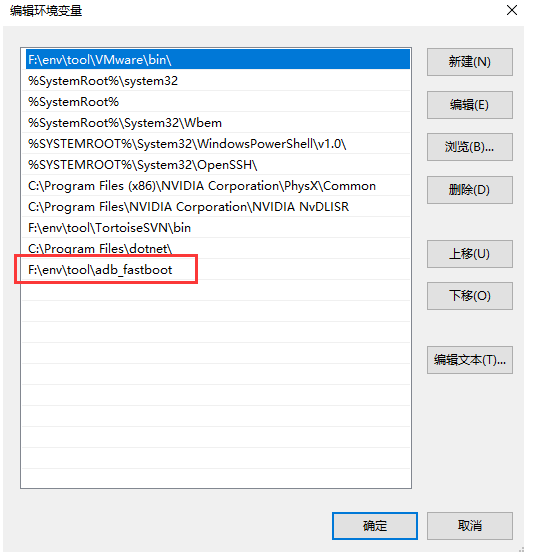
Just enter the adb command in CMD, and if the relevant commands appear, it indicates that the ADB tool's environmenr variables have been configured successfully.
2] Use ADB to access the system terminal via USB:
(Enter the following command in the command prompt on the PC side.)
] Check ADB devices:
adb devices
## List of devices attached
##43c950d04075784c device
] Use ADB to access the system terminal via USB:
adb -s 43c950d04075784c shell
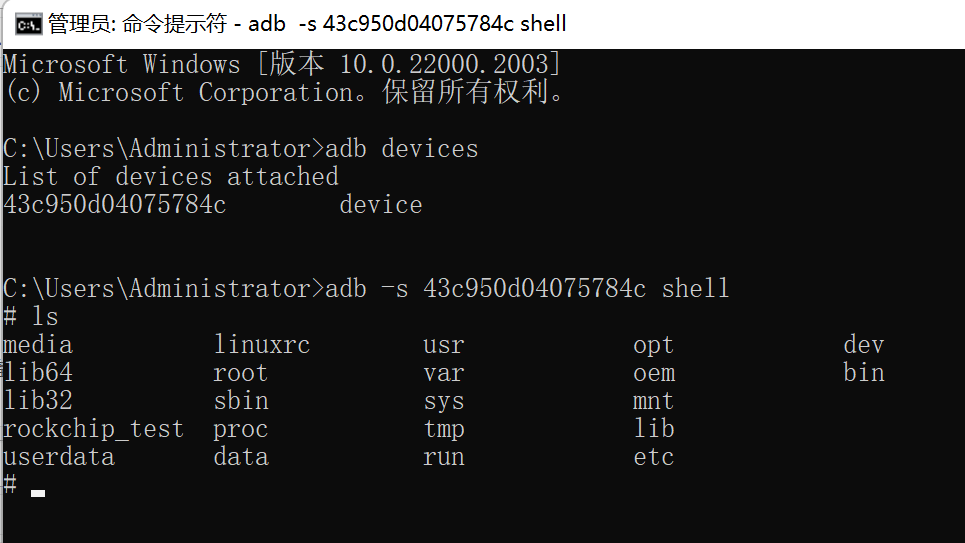
(Note: In the previous context, “43c950d04075784c” is the ID of the USB device. Users should modify it according to the actual ID of their USB device.)
3] Accessing the system terminal using ADB via network port:
(Enter the following command in the command prompt on the PC side.)
] Connecting ADB to the development board’s network IP:
adb connect 192.168.0.187
## already connected to 192.168.0.187:5555
] Viewing devices:
adb devices
## List of devices attached
## 192.168.0.187:5555 device
] Accessing the system terminal of the development board through the Ethernet port using ADB:
adb -s 192.168.0.187:5555 shell
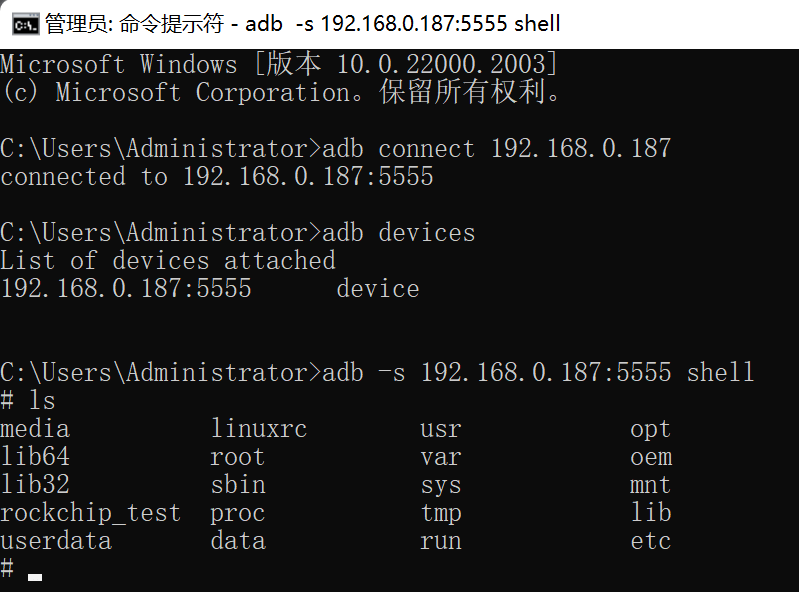
(Note: Please modify the IP address “192.168.10.67” in the previous text according to your actual IP address.)