- sales/support
Google Chat:---
- sales
+86-0755-88291180
- sales01
sales@spotpear.com
- sales02
dragon_manager@163.com
- support
tech-support@spotpear.com
- CEO-Complaints
zhoujie@spotpear.com
- Only Tech-Support
WhatsApp:13246739196
- Purchase/Shipping/Refund
WhatsApp:13424403025
- HOME
- >
- ARTICLES
- >
- Milk-V
- >
- Milk-V Duo
MILK-V DUO RJ45 network Tutorial
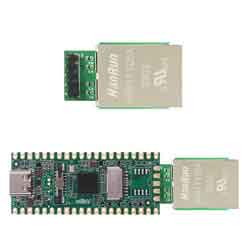
1] Solder the RJ45 network module to the MILK V DUO
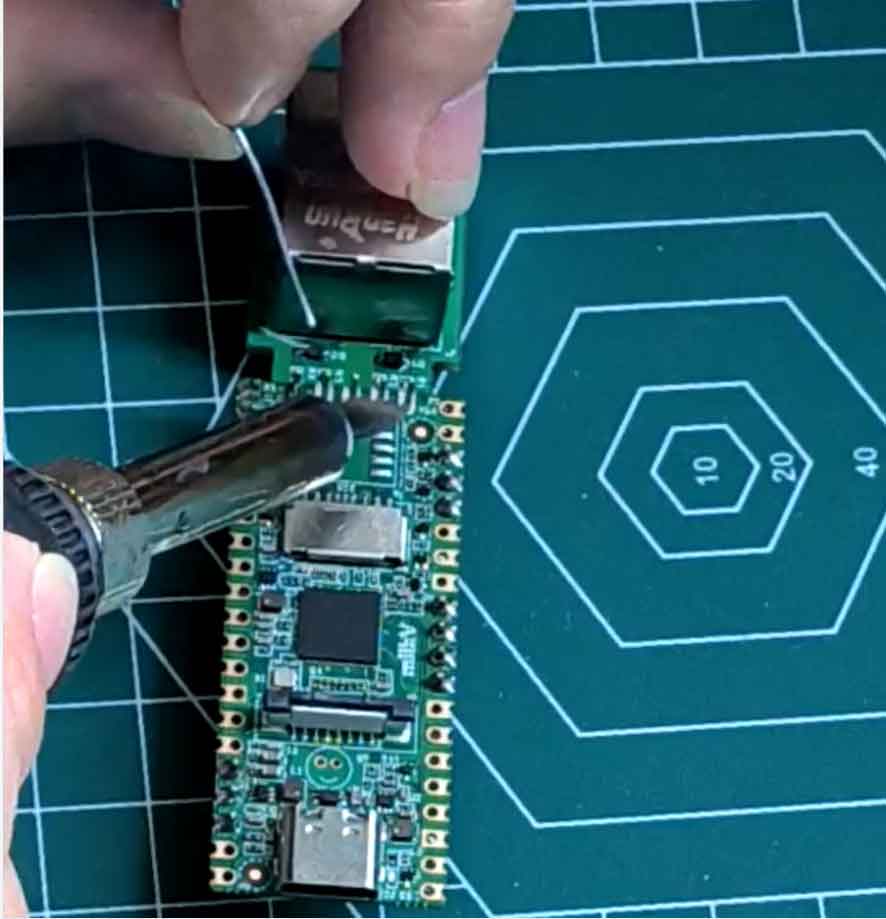
2] enter terminal by UART port or USB virtual network:
Milk-V Duo USB RNDIS Virtual Network Terminal
Milk-V Duo UART login Terminal Tutorial
3] Configure the static IP address:

ifconfig eth0 (Setting a IP by youself) netmask (Subnet Mask)
route add default gw (Your route ip)
The board’s static IP address subnet should match the router’s subnet. For example, if the router’s IP is 192.168.0.1, you only need to change the last digit from 1 to 2-255 (be careful not to conflict with other devices’ IPs).
If there is no error message or prompt after configuring, it means the configuration is successful.
(Note: After configuring the static IP, the router’s user list may not show the new device. To verify the configuration, the most direct method is to use an SSH client software to log in.)
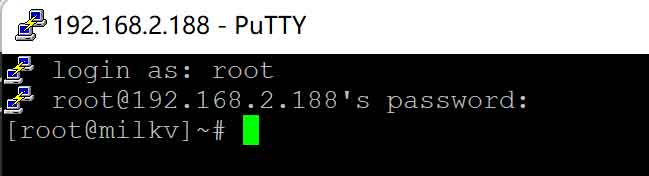
4] Log into the system by the configured static IP:
The static IP configured above is 192.168.2.188, and this tutorial uses the IP 188 to log in to the device. Users need to log in according to their custom static IP.
(FAQ: Username: root Password: milkv)