- sales/support
Google Chat:---
- sales
+86-0755-88291180
- sales01
sales@spotpear.com
- sales02
dragon_manager@163.com
- support
tech-support@spotpear.com
- CEO-Complaints
zhoujie@spotpear.com
- Only Tech-Support
WhatsApp:13246739196
- Purchase/Shipping/Refund
WhatsApp:13424403025
Raspberry Pi NASPi stress test
Overview
We conducted a stress test on NASPi to check the heat dissipation of the product
We use rpi-cpu-stress to stress test the Raspberry Pi 4 2GB version, the OS is 2021-05-07-raspios-buster-armhf.img, and the charger used is type-c Huawei 65W fast charger, program running time exceeds 30 minutes.
How to test?
git clone https://github.com/geekworm-com/rpi-cpu-stress
cd rpi-cpu-stress
chmod +x stress.sh
sudo ./stress.sh
Use the htop command to monitor the task manager, you can see that all 4 processors are full.
sudo htop

The following is the log output of the program, temp divided by 1000 is the current CPU temperature
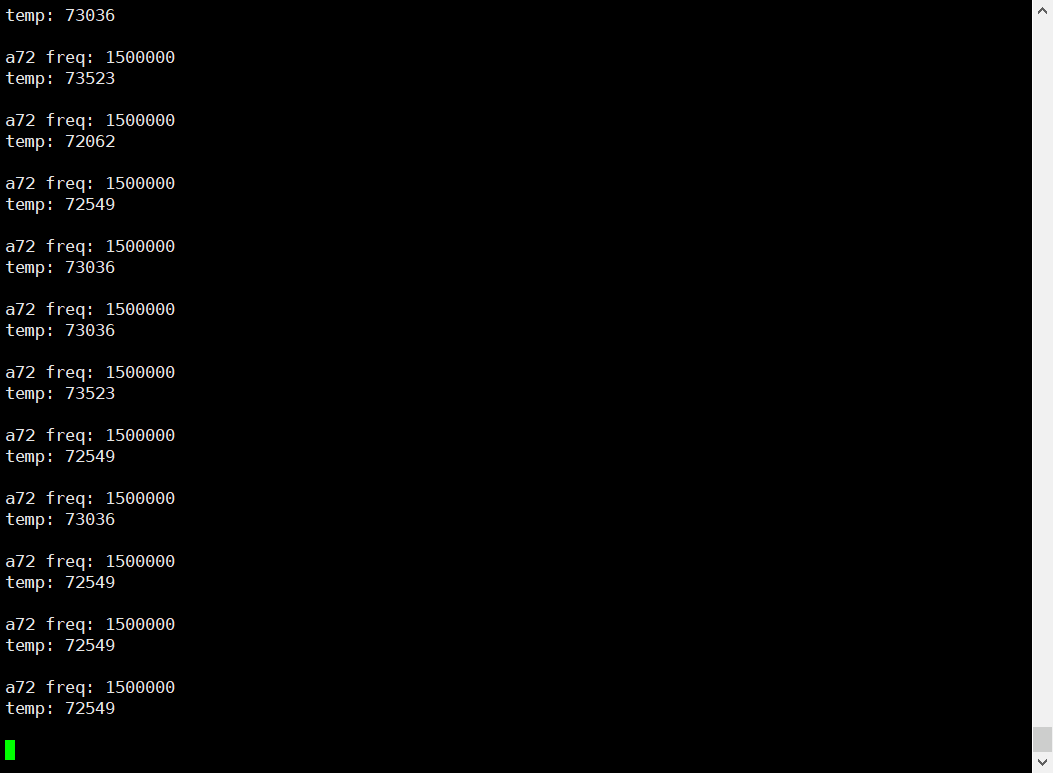
Test result
The 4 CPU cores are running at full load, the maximum temperature of the CPU core does not exceed 75 degrees, and the surface of the shell does not generate heat, which meets the design requirements.