- sales/support
Google Chat:---
- sales
+86-0755-88291180
- sales01
sales@spotpear.com
- sales02
dragon_manager@163.com
- support
tech-support@spotpear.com
- CEO-Complaints
zhoujie@spotpear.com
- Only Tech-Support
WhatsApp:13246739196
- Purchase/Shipping/Refund
WhatsApp:13424403025
- HOME
- >
- ARTICLES
- >
- Raspberry Pi
- >
- Raspberry Pi LCD
- >
- GPIO-SPI
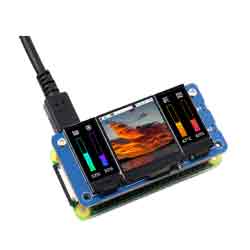
Raspberry Pi【Zero_LCD_HAT_A】-【1.3inch LCD-ST7789】- Display
Step 1】
Copy the file "lcd1inch3_ST7789.dtbo" to the "/boot/overlays/" folder.
Step 2】
Configure the "/boot/config.txt" file
Disable KMS:

Add the following content to the bottom:
dtparam=spi=on
dtoverlay=lcd1inch3_ST7789:rotate=0
#dtoverlay=lcd1_3inch_ST7789:rotate=0
hdmi_force_hotplug=1
max_usb_current=1
hdmi_group=2
hdmi_mode=87
hdmi_cvt 480 480 60 6 0 0 0
hdmi_drive=2
display_rotate=0
dtoverlay=dwc2,dr_mode=host

Step 3】
Compile and install the fbcp software.
Download the git project for fbcp.:
gti clone https://github.com/tasanakorn/rpi-fbcp.git
Install cmake::
sudo apt-get install cmake
Compile fbcp:
cd ./rpi-fbcp/
sudo mkdir ./build
cd ./build
sudo cmake ..
sudo make
Install fbcp:
sudo install ./fbcp /usr/local/bin/fbcp
Step 4】
Enable auto-start for fbcp software on boot:
sudo nano /etc/rc.local
Add the following two instructions below:
sleep 20
fbcp &

Step 5】
Restart the system:
sudo reboot