- sales/support
Google Chat:---
- sales
+86-0755-88291180
- sales01
sales@spotpear.com
- sales02
dragon_manager@163.com
- support
tech-support@spotpear.com
- CEO-Complaints
zhoujie@spotpear.com
- Only Tech-Support
WhatsApp:13246739196
- Purchase/Shipping/Refund
WhatsApp:13424403025
Raspberry Pi Zero W 0.91inch OLED - RPI SPI and IIC User Guide
Raspberry Pi turns off SPI and I2C functions by default. If you write SPI programs, but the SPI module is not turned on, the following errors may occur:
ERROR: could not insert 'spi_bcm2708': No such device
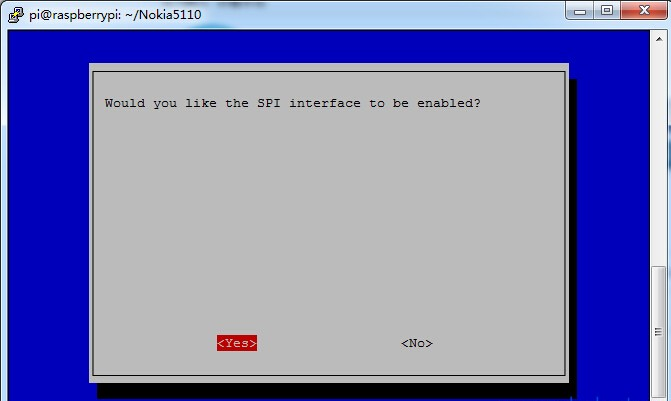
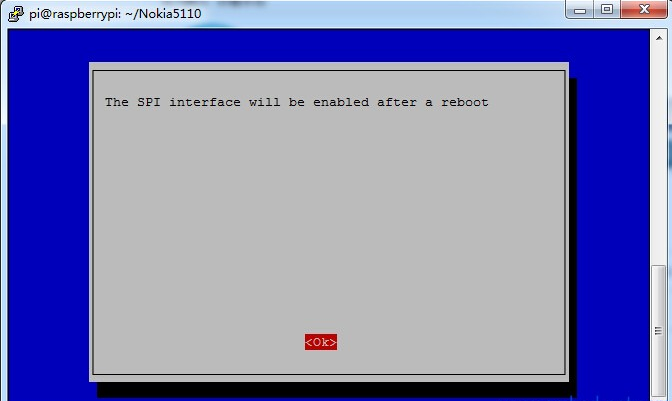
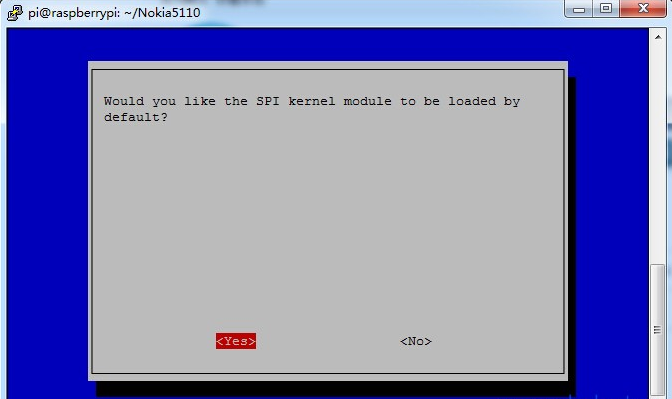
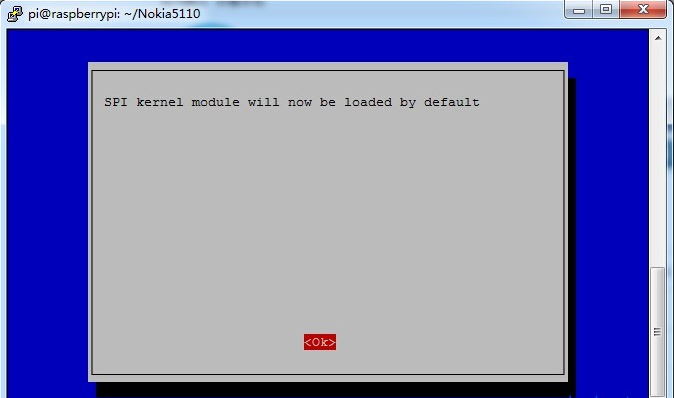
The following is a simple explanation on how to open SPI function. Of course, it is the same to open other functions.
Input at terminal
sudo raspi-config
Command, and then operate according to the following sequence. After the configuration is completed, restart the raspberry pi to take effect.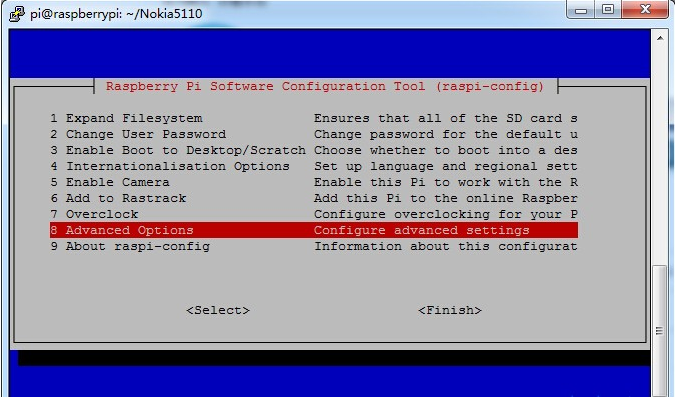
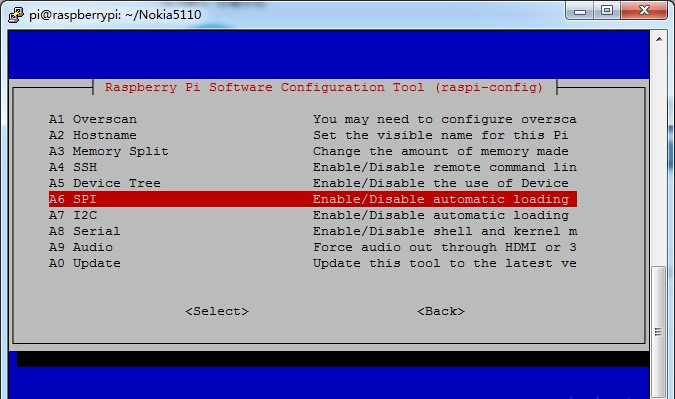
If the SPI program runs with the following error
Unable to open SPI device: No such file or directory
It is possible that the SPI module was not imported successfully. Use the lsmod command to see whether the SPI module was successfully imported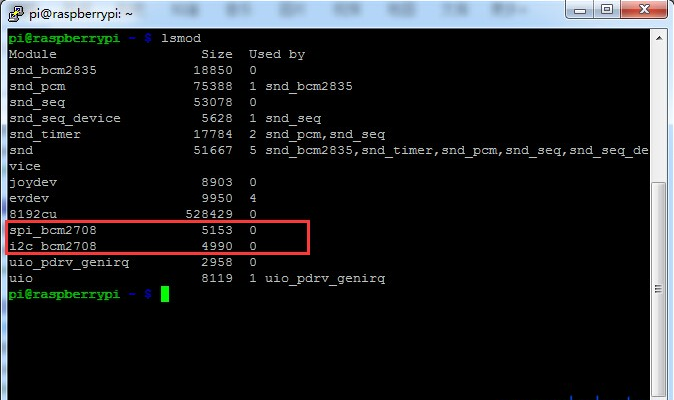
If the words shown in the figure above appear, it indicates that the I2C and SPI modules are imported successfully. Otherwise, you can perform the configuration again and restart the system.
If the execution of I2C related procedures, the following errors occur
Unable to open I2C device: No such file or directory
You can see smod command i2c_bmc2708, but no i2c_dev, the following processing is required
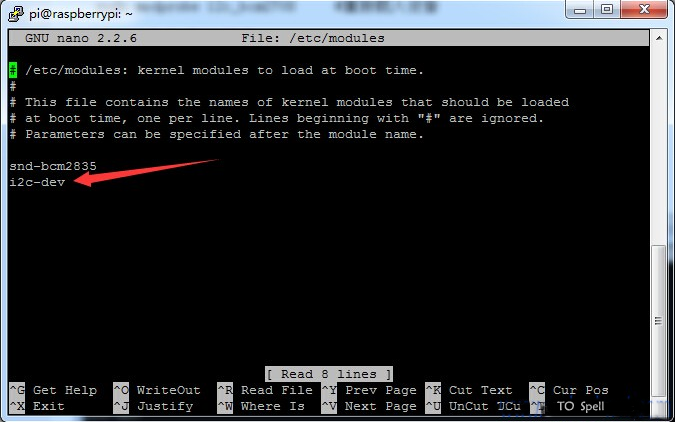
sudo nano /etc/modules #Open files with nano
Then add
i2c_dev
Press Ctrl + X to exit editing, enter y to save the content, and then restart.
As shown in the figure below: