- sales/support
Google Chat:---
- sales
+86-0755-88291180
- sales01
sales@spotpear.com
- sales02
dragon_manager@163.com
- support
tech-support@spotpear.com
- CEO-Complaints
zhoujie@spotpear.com
- Only Tech-Support
WhatsApp:13246739196
- Purchase/Shipping/Refund
WhatsApp:13424403025
Raspberry Pi ------ 3.2 Control Fan User Guide
2 Control Fan
The Raspberry Pi RGB_Cooling_HAT needs to be properly plugged into the GPIO port of the Raspberry Pi and open the Raspberry Pi system I2C function.
This experimental phenomenon shows that after 2s, the fan speed is increased every second, next, it will run for 2 seconds with the highest speed, finally, it stops again and keep looping in this state.
1. File transfer
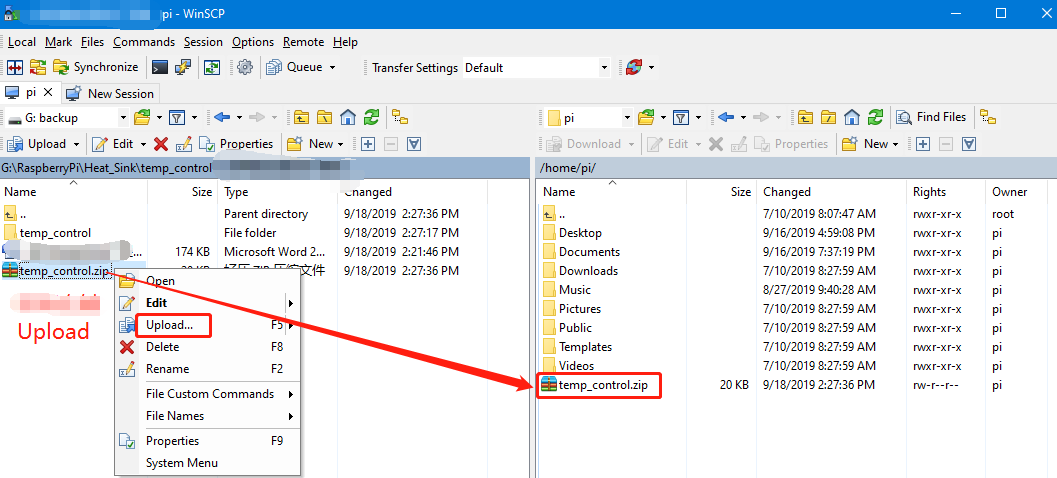
1.1 Install WinSCP tool on the computer side, connect the Raspberry Pi and transfer the temp_control.zip package to the pi directory of the Raspberry Pi.
Path of WinSCP:[Raspberry Pi RGB_Cooling_HAT]---[Tools]---[winscp556_setup.1416364912.exe]
1.2 Extract file
Open the Raspberry Pi terminal and input command ls to find the temp_control.zip file.
As shown below:

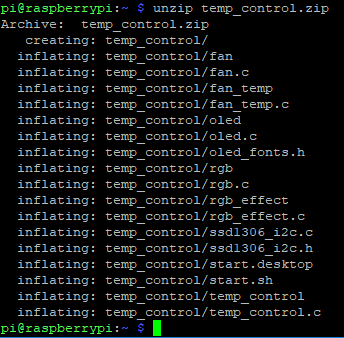
Input command to extract file:
unzip temp_control.zip
2. Compiling and running program
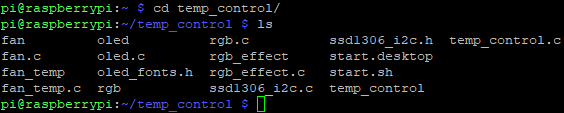
2.1 Input command to enter temp_control find file:
cd temp_control/
ls
2.2 Input command to compile:
gcc -o fan fan.c -lwiringPi

Among them, the gcc compiler is called, -o means to generate the file, fan is the generated file name, fan.c is the source program, and -lwiringPi is the wiringPi library that references the Raspberry Pi.
2.3 Input command to run the program
./fan

After 2s, the fan speed is increased every second, next, it will run for 2 seconds with the highest speed, finally, it stops again and keep looping in this state.
3. About code
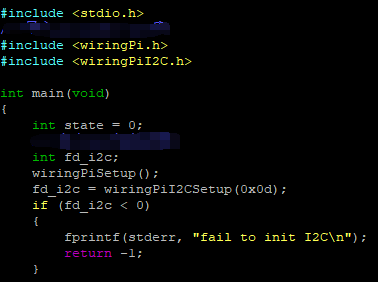
3.1 Initialize the Raspberry Pi I2C configuration
3.2 Cycle control fan speed, according to the protocol, we can know that grade of fan speed:
0x00: Close fan,
0x01: full speed,
0x02: 20% speed,
0x03: 30% speed,
...,
0x09: 90% speed
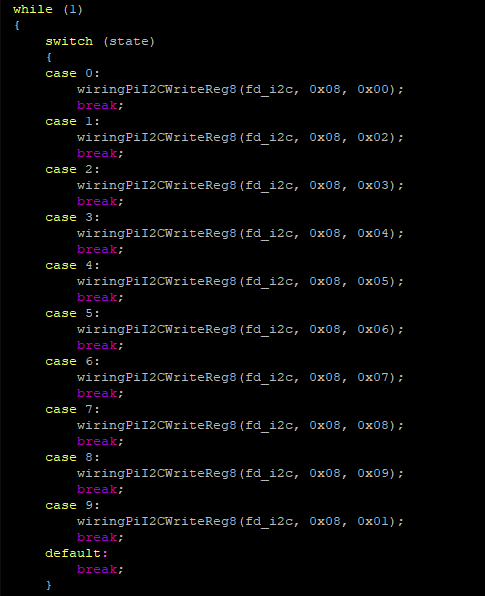
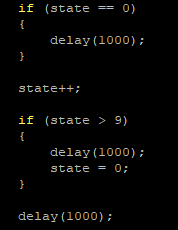
3.3 Limit the state size, set to 0 when greater than 9 to achieve loop effect