- sales/support
Google Chat:---
- sales
+86-0755-88291180
- sales01
sales@spotpear.com
- sales02
dragon_manager@163.com
- support
tech-support@spotpear.com
- CEO-Complaints
zhoujie@spotpear.com
- Only Tech-Support
WhatsApp:13246739196
- Purchase/Shipping/Refund
WhatsApp:13424403025
Raspberry Pi Introduction of Raspberry Pi RGB cooling HAT User Guide
Introduction of Raspberry Pi RGB cooling HAT
1. Introduction of Function
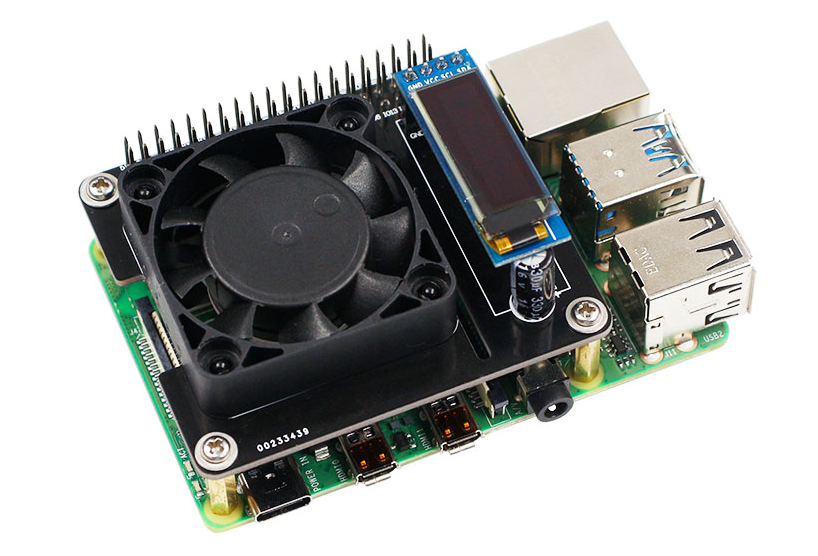
This is a Multi-function cooling expansion board designed for the Raspberry Pi board. It is perfectly compatible with the 4B/3B+/3B to protect Raspberry Pi and extends its life. A 4pin IIC interface for OLED display, which can real-time display CPU temperature, CPU usage, hard disk space, memory and IP address. The large-size cooling fan on the board with strong wind power, it can make Raspberry Pi can run more stably by automatically adjust the speed according to the CPU temperature. 3 high-brightness RGB programming lights on the bottom of the expansion board, which can realize following lights, breathing lights, marquees and so on. It also expand Raspberry Pi 40pin header and can be used to connect to other devices. We will provide a driver package for all Raspberry Pi images, which is convenient for users to drive fans, OLED displays, RGB lights.
2. On-board components location
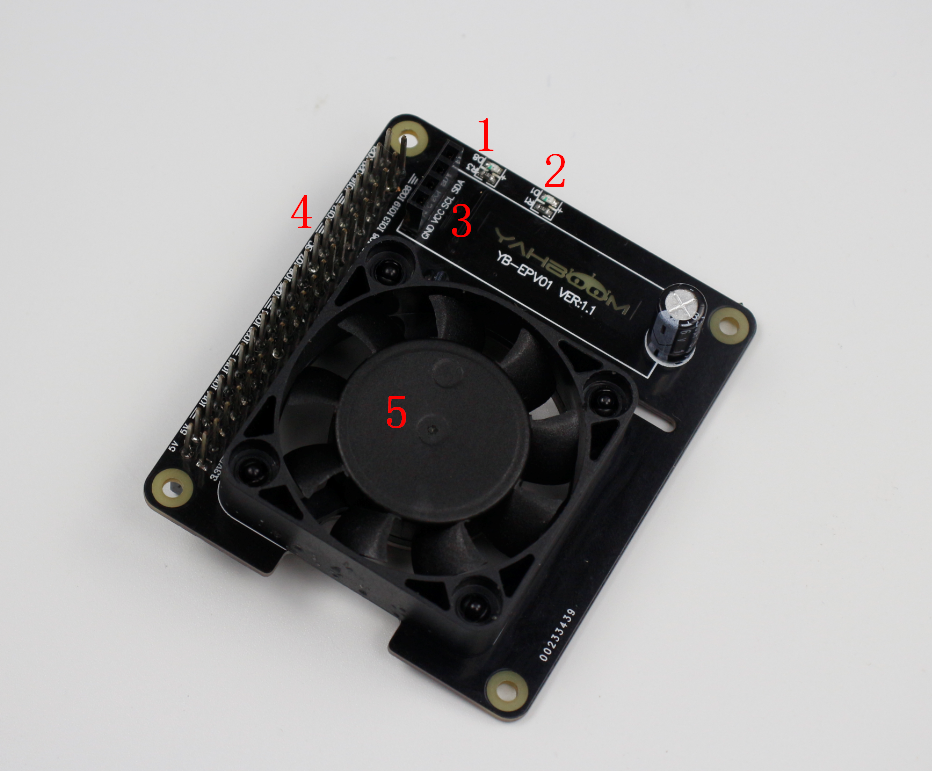
Front:
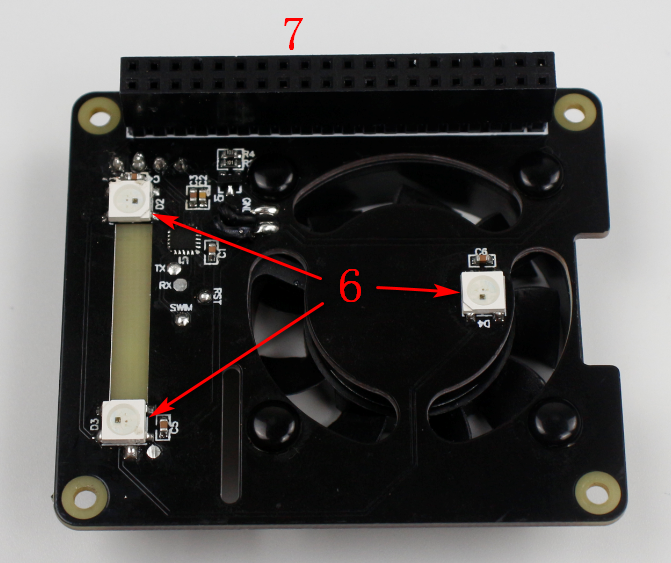
Back:
①D8 indicator
Insert Raspberry Pi 4B, which can be used to indicate the Raspberry Pi 4B boot/shutdown status.
This indicator is connected to the Raspberry Pi 3.3V pin. If the Raspberry Pi is powered on, the 3.3V pin voltage with 3.3V high voltage, so D8 keep on; if the Raspberry Pi is turned off or abnormal, the 3.3V pin has no voltage. D8 is off.
! Note: For Raspberry Pi 3B+ board. Even if 3B+ is not boot, as long as the USB is plugged in 3B+ board, the 3.3V pin will output 3.3V. If the Raspberry Pi is abnormal, the 3.3V pin will have no voltage.
②D1 indicator
D1 is running indicator of the MCU.
After the start up normally , the D1 indicator will light the effect of the breathing light. If the D1 indicator is not have breathing effect, it means that the MCU is not running, or the program is incorrect.
③I2C interface (oled display)
You can insert a 128*32 oled display into this interface. Use the Raspberry Pi drive program to the display system information, or other images.
④40pin male pin
Directly connected to the 40pin pin header on the Raspberry Pi, it has the same function as the 40pin pin header on the original Raspberry Pi.
⑤Fan
For cooling, you can send commands to the MCU through the Raspberry Pi to adjust the fan speed.
⑥3 RGB lights
Used to display RGB light effects, you can send commands to the MCU to modify the color and effect through the Raspberry Pi.
⑦Pin header
Insert the pins of the Raspberry Pi directly.
3. Boot up
①Raspberry Pi cooling HAT starts up, the bottom three RGB lights are become green, and the brightness gradually increases. When the brightness reaches the maximum, it stays always bright, which proves that the MCU has completed initialization. The D1 indicator starts to run the breathing light effect, indicating that the MCU is operating normally.
②If you do not run the program to drive the expansion board, the fan and RGB lights of the expansion board do not work by default. We can install the boot-up program directly in the system running install.sh, or write the code control expansion board according to the content of the communication protocol.
4. Installation