- sales/support
Google Chat:---
- sales
+86-0755-88291180
- sales01
sales@spotpear.com
- sales02
dragon_manager@163.com
- support
tech-support@spotpear.com
- CEO-Complaints
zhoujie@spotpear.com
- Only Tech-Support
WhatsApp:13246739196
- Purchase/Shipping/Refund
WhatsApp:13424403025
- HOME
- >
- ARTICLES
- >
- Common Moudle
- >
- LCD
4. Display boot time and memory free space User Guide
Display boot time and memory free space
After CPU Info LCD screen is correctly inserted into the Raspberry Pi, you need to compile and run the program to display it normally. This experiment is used to display the boot time and memory free space of the Raspberry Pi.
1. Install the wringPi library
CPU Info LCD screen is used for data communication through the GPIO port of the Raspberry Pi, so we must install the wiringPi library file.
Enter the following command to install the wringPi library. Users who have already installed the wiringPi library can ignore this step.
cd ~
git clone git://git.drogon.net/wiringPi
cd wiringPi
./build
2.Install Drive
2.1 Transfer the driver file to the Raspberry Pi
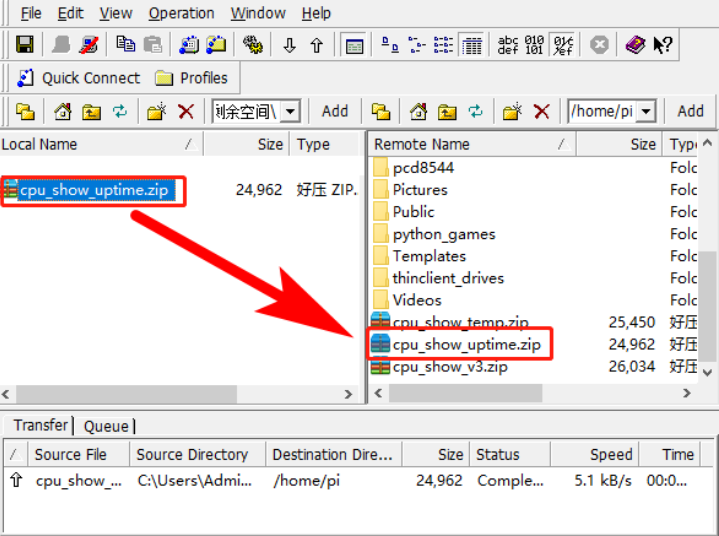
You need to install the SSH Secure Shell Client tool on your computer. After connecting to the Raspberry Pi, transfer the cpu_show_uptime.zip package from this folder to the pi directory of the Raspberry Pi.
As shown blew, drag and drop cpu_show_uptime.zip directly into the Raspberry Pi system.
Download: cpu_show_uptime.zip
2.2 Extract file
Open the Raspberry Pi terminal and find the cpu_show_uptemp.zip file.
Enter command:
ls

Enter command:
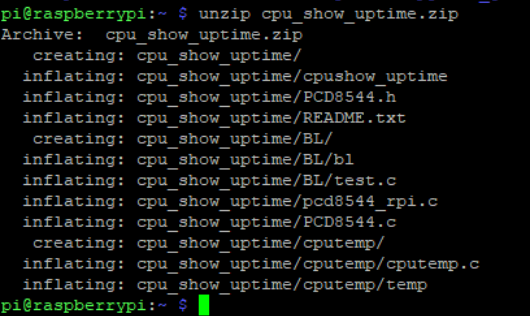
unzip cpu_show_uptime.zip
2.3 Enter the program folder
cd ~/cpu_show_uptime
ls

2.4 Compiler file
Enter command:
cc -o cpushow_uptime pcd8544_rpi.c PCD8544.c -L/usr/local/lib -lwiringPi

cc is the compile command, -o is the compile parameter, cpushow_temp is the generated program name, pcd8544_rpi.c and PCD8544.c are the source files in the current directory, -L/usr/local/lib and -lwiringPi are referenced libraries file.
2.5 Running procedure
Enter command:
sudo ./cpushow_uptime

The system will prompt “Raspberry Pi PCD8544 sysinfo display” and display the following on the CPU Info screen.
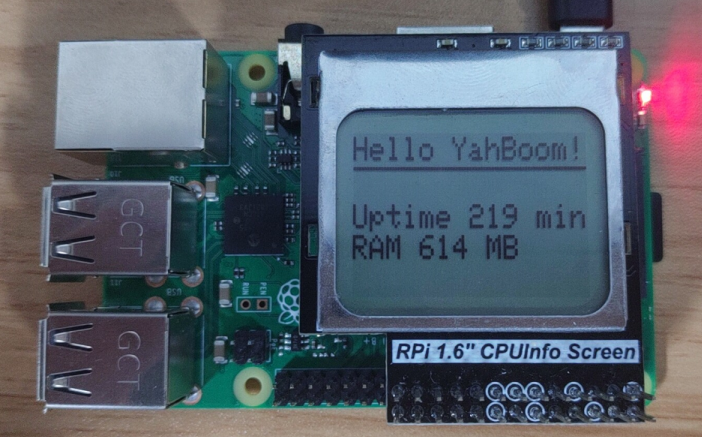
Boot time is 219 minutes, Remaining memory is 614 megabytes.
3. Code analysis
Enter command:
nano pcd8544_rpi.c
This command is to open pcd8544_rpi.c
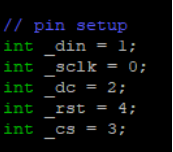
1. The following sections are pin settings. The corresponding relationship of the GPIO ports has been indicated on the back of the LCD.
2.Main function
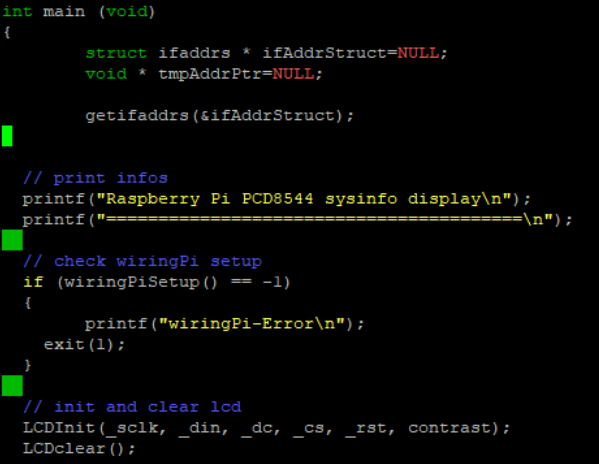
3.The front part is the initialize program and the prompt information; the latter part is display some data.
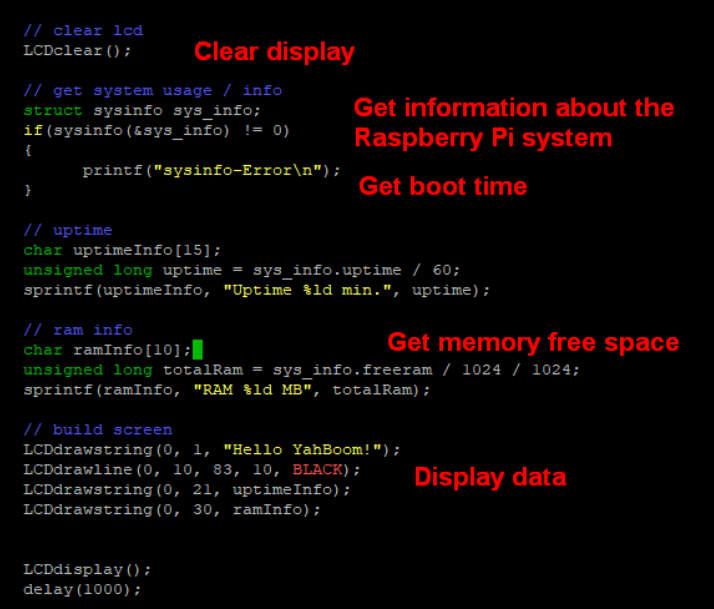
sprintf (cpuInfo, "CPU %ld%%", avgCpuLoad) is a splicing function, replace the value of avgCpuLoad to the %ld position, and then save it to uptimeInfo. If the value of avgCpuLoad is 2, the result of output uptimeInfo is Uptime 2 min.
LCDdrawstring(0, 1, "Hello YahBoom!") meaning is first row, second line display ‘Hello YahBoom!’. First parameter is 0,which meaning is starting from the first column on the left. Second parameter is 1, which meaning is starting from the second column count from above. Third parameter is "hello YahBoom!", which meaning is data we need to display.
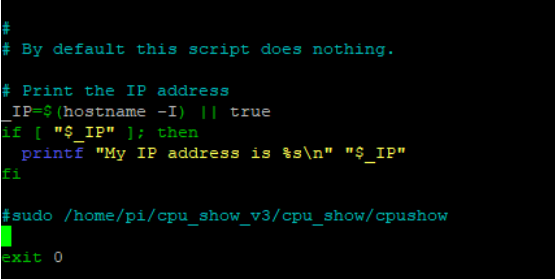
Note: If you have added the boot-up display program, please edit the rc.local file comment or delete the code related to the display. After restarting, close the running driver and then operate.
If the program that has already been run is not closed, the new program will run and the screen will always change due to the conflict.
The method of modification is as follows:
sudo nano /etc/rc.local
You need to shield the program, which related to the cpu Info LCD (add a # in front of the code to shield the code)
Enter command:
sudo reboot
This command is to restart the Raspberry Pi.